|
http://www.dft-technology.de/en/applications/milk-cream-beverages.html
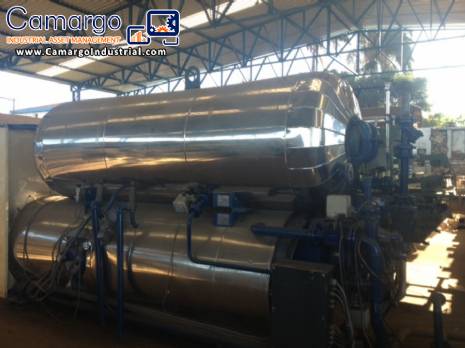
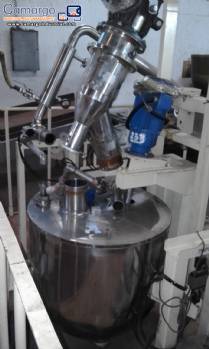
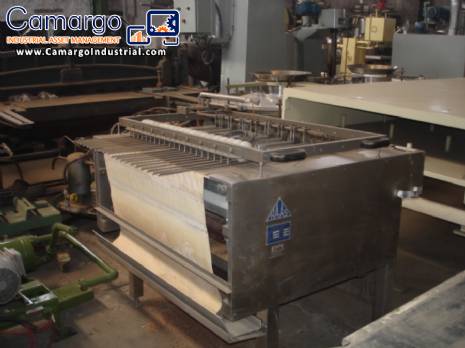
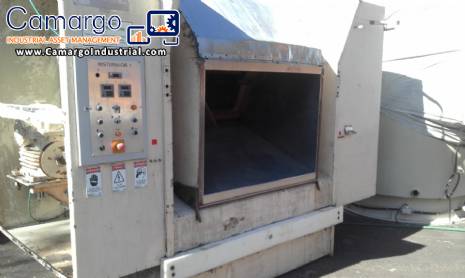
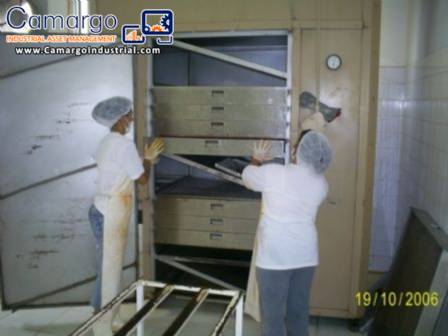
trademark stock Rotomat Autoclave-Sterilisationssysteme esterização of sausage, ground beef Meatball, year 1997, 4.60 x 158 x width length 2.67 time
AUTOCLAVE OPERATING PROCEDURE STOCK
1. Ask to connect the boiler in the morning
2. Close the bleed device over autoclave.
3. Wait for steam to get to the pipe
4. Turn on breaker F54 in the command box
5. Open valve of steam pipe (Micromazza)
6. Press START/END in Control Panel
7. In the control panel:
-a) Check heating c., red indicator reach 130° C
-b) back pressure reach 1, weights what
NOTE: When the autoclave stay long stop, check the pressure dial, reach the maximum 2, 00kg, open the valve Y7, run just the width of the shaft drive, lever and wait for the pressure to lower until 1, weights what.
8. Program process time:
-a) sterilization time: depends on the product
* Press P1 schedule time each button changes the type on it, type the desired time.
* press and then R.
-b) cooling time: 80.1 minutes.
* Press P1 schedule time each button changes the type on it, type the desired time.
* press and then R.
9. Put the carts that should have the same number of floors filled, if the number of cans is smaller, spread them to provide support at fitting blades. Complete with slides and the iron toquinhos to facilitate the movement of the water, making sure that the height of the roof of the stands is the.
10. Lower the Board holding the carts so you stay firm.
11. Attach the diagonal lock firm before the door stands.
12. Close the door until you find the sensor and light green light: START
13. Press Manual, START, turn off Manual command, command and START League.
14. The process boiler fill. Follow the filling by the display on the side of the autoclave level near door.
15. When the ideal temperature (/-121° C), in the boiler, sterilization begins.
note 1: the Case against pressure drop during sterilization, less than 1.80 kg open the valve until above 1.80 Y6 kg up to 1.86 kg.
note 2: the Case against pressure go up at the time of the process, more than 1.86 kg open desareação valve c. P, on the side of the autoclave , even against pressure back to
16. At the end of the programmed count the clock closes sterilization.
17. Starts cooling
18. Accompanies the boiler sensor level of supply, when it reaches the level of the yellow sensor, press Manual, START and Manual.
19. Wait for reach 40° C in cooling.
20. Check the time remaining on the clock and reprogram for 1 minute.
a) * Press P1 schedule time each button changes the type on it, type 1:00.
* press and then R.
21. Wait for the end of the sterilization, reset the counter.
22. Turn off the pump and see if Red tightens Q2 valve Y22 is closed.
23. Expect empty the boiler by checking the process level by the display side of the autoclave, next to the door.
24. Turn off the valve steam Micromaza, case is the last batch.
25. Wait for silence autoclave. k12k * 26 *. Tighten HORIZONTAL ROTOR in Control Panel so that the cans take another spin to remove excess water
27. Open the door to remove the cans
28. Connect the pump Q2, tighten black
29. If you're going to start a new process the Y4 opens automatically and start from step 05.
30. If it is shut down for the day off k12k * 31 * F54. Press the left arrow, PGM 2 times and to reset the red, press
ENTER
PGM and-bottom Indicators: schedule (red)
-upper Indicators: count of the process (yellow)
-dials and programmers:
-C.P. = Heating boiler temperature control/process tank
-bottom/boiler that goes to k12k * * cans-Ac = Heating boiler temperature control of supplies/upper tank.
-Backpressure = maximum process pressure , may not exceed 2.00 kg.
-Rotor shaft rotation Speed = receiving stands.
NOTE: display and faulty programming.
-C.P. Warming (bottom) = internal temperature dial
-boiler autoclave process.
-Backpressure (analog) = shows higher boiler pressure
-k12k * process control * NOTE: only used with manual process
-horizontal Rotor = makes the carts spin to remove water (after)
-Emergency = in case of defect, problems in the process or bad functioning, press to stop the whole process.
NOTE: this feature should only be used where it is not possible to remedy the problem by manual controls or bring risk to the operator and the equipment because you can lose all the cans if the process is not complete.
-
Commands and Valves-B5 = valve tank pressure indicator higher
-B4 = upper tank temperature sensor
-B3 = k12k * sensors *-B6 = upper tank pressure indicator valve
-Y8 = connection valve between the two boilers
-Y10 = butterfly valve controls water flow in process boiler showers.
-Y6 = valve pressure controller When the two tanks are interconnected.
-Y2 = cooling valve. NOTE: defective.
-Y22 = Ac filling valve (cooling), boiler supply Ac
-Y5 = injection valve of steam in Pa
-output cooling water valve Y20 = 2.
-Y4 = injection valve of steam on
Ac-Y3 = Butterfly Valve controls water flow in process boiler showers.
-Y7 = Ac pressure flow
-desareação valve C.P. C.P. pressure flow =
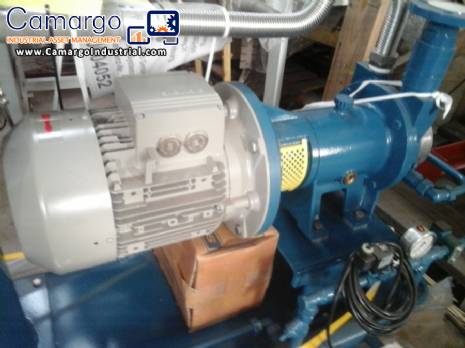
-M1 = circulation pump
-M2 = motor * cooling * k12k-M3 = Rotation
-M4 = Rotation |